
Thank you for playing ONGEKI.
Here we introduce the new features being added in ONGEKI Re:Fresh Act.2, launching on Thursday, July 23, 2026.
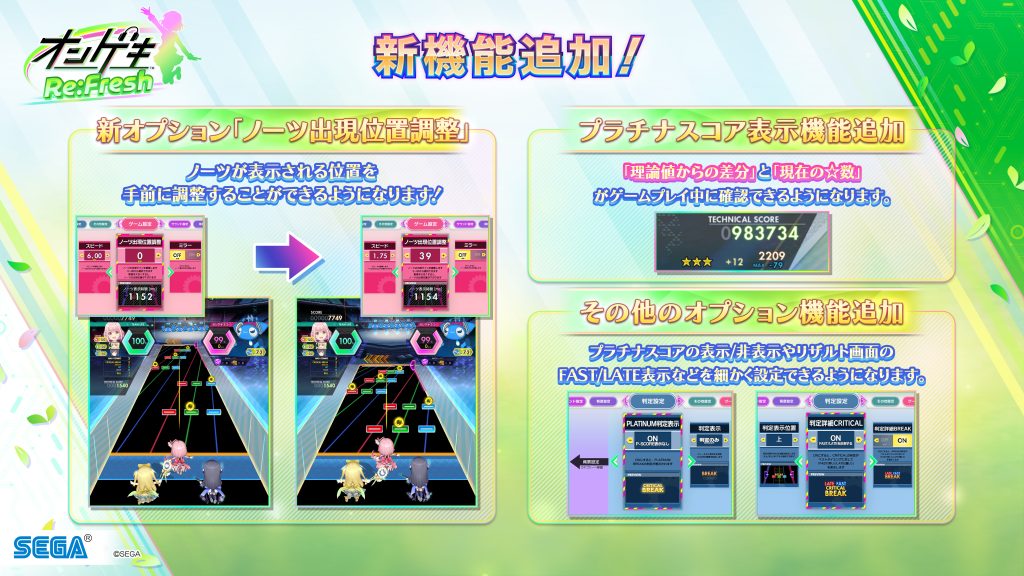
〈Note Spawn Position Adjustment Option Added〉
You will now be able to adjust the position at which notes appear, moving them closer to the player.
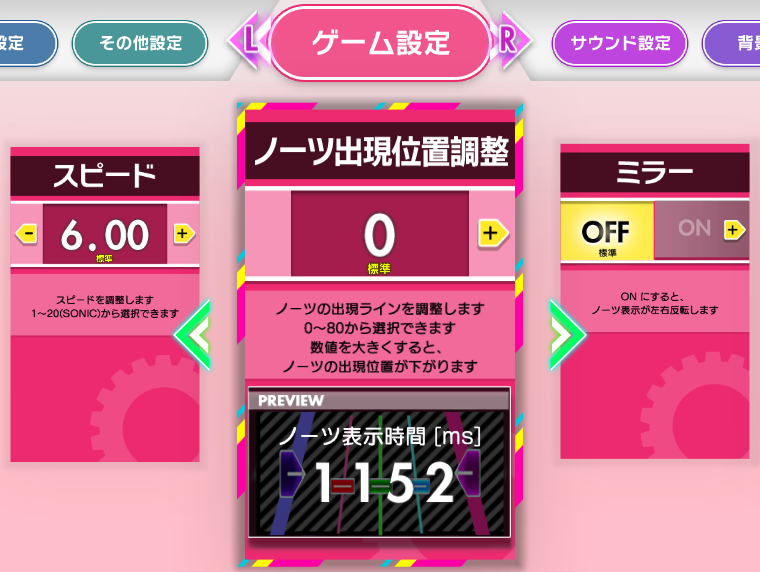
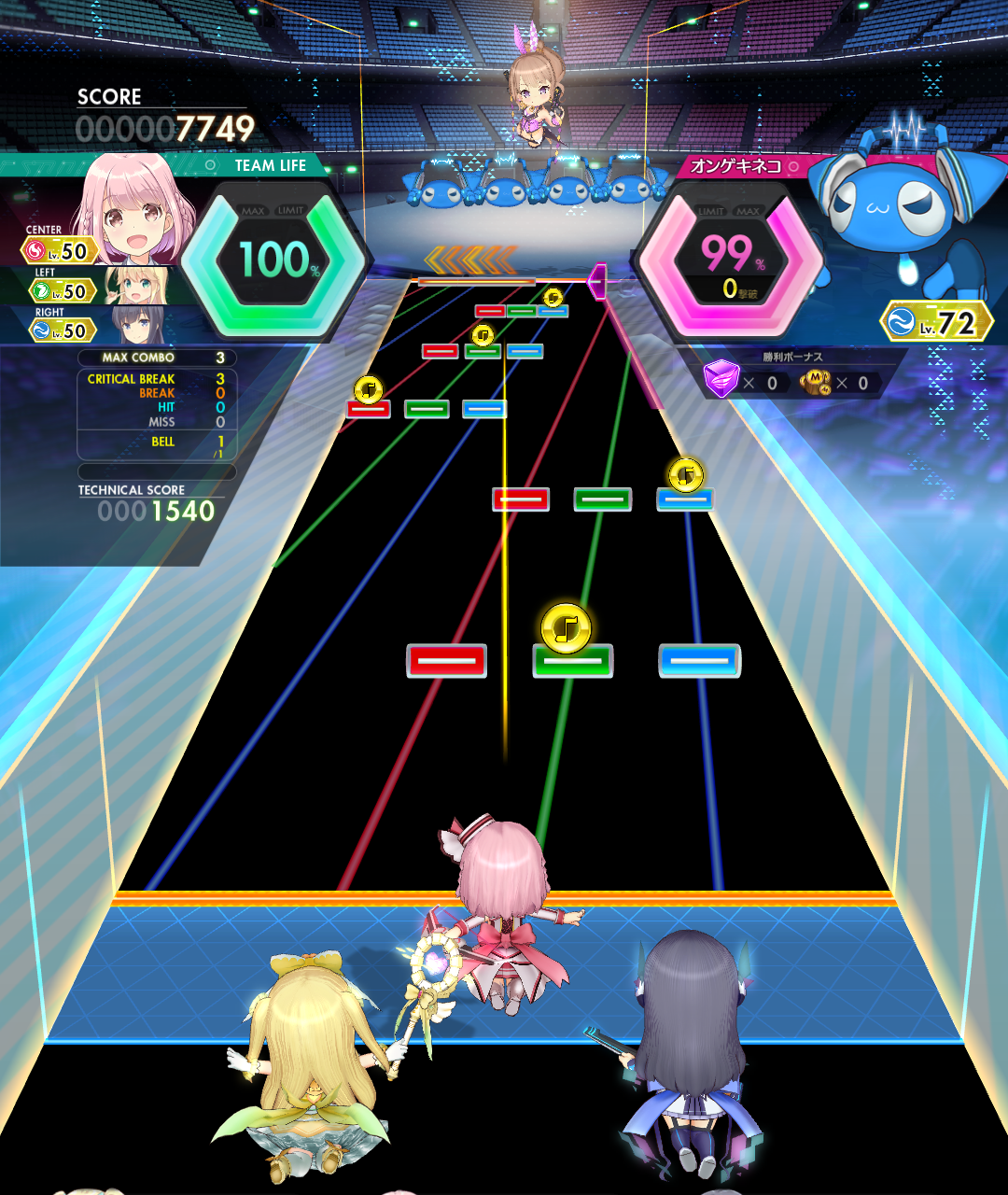
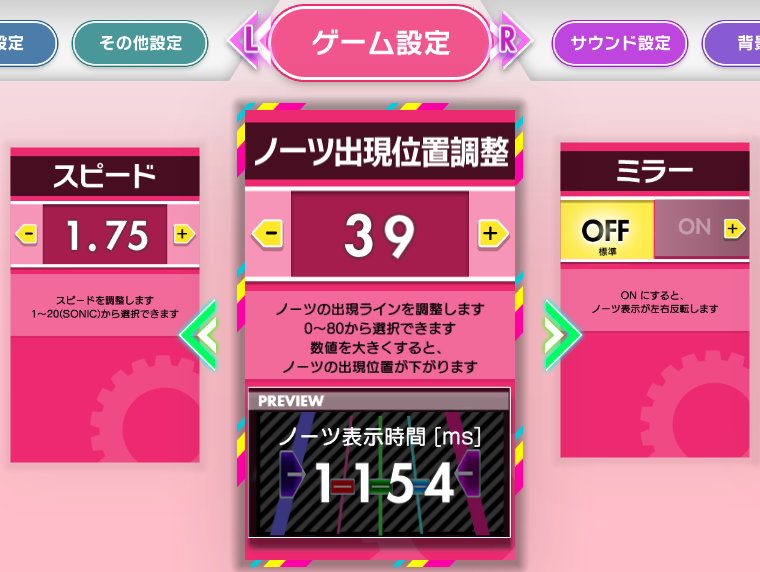
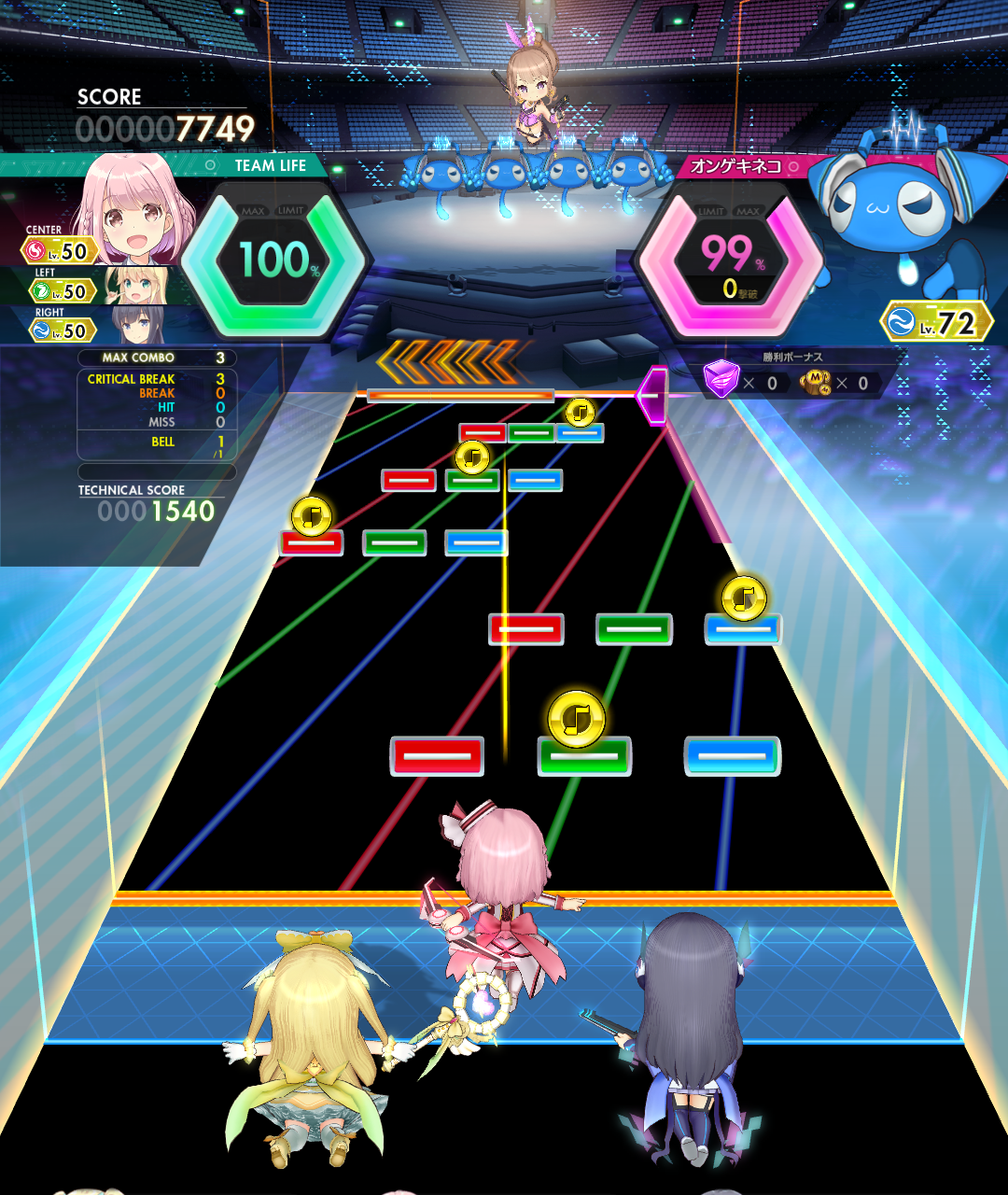
※Note display time (ms) will vary depending on your “Speed” and “Note Spawn Position Adjustment” settings.
〈PLATINUM SCORE Display Feature Added〉
You will now be able to show or hide the PLATINUM SCORE from the options menu.
Additionally, when PLATINUM SCORE is enabled, you will be able to check the “difference from the theoretical maximum” and your “current ☆ count” during gameplay.
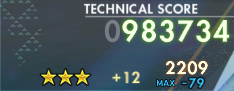
You will also be able to configure the “PLATINUM Judgment Display” option as described below.
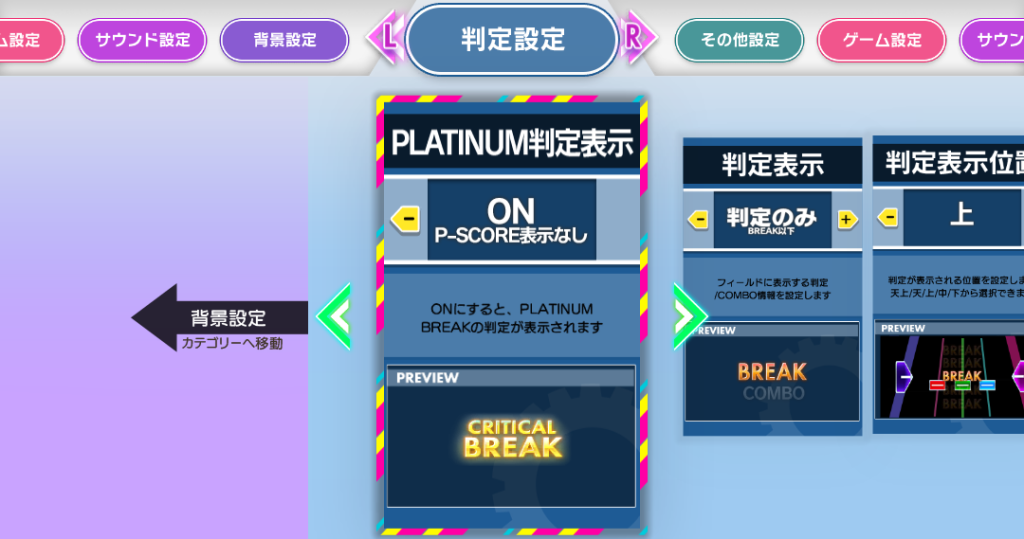
| PLATINUM Judgment Display OFF/P-SCORE Display: OFF (Default) | |
| PLATINUM Judgment Display ON/P-SCORE Display: ON | |
| PLATINUM Judgment Display OFF/P-SCORE Display: ON | |
| PLATINUM Judgment Display ON/P-SCORE Display: OFF |
When “P-SCORE Display: OFF” is selected, the PLATINUM SCORE and all related score information will not be shown.
When “P-SCORE Display: ON” is selected, the PLATINUM SCORE, the “difference from the theoretical maximum,” and your “current ☆ count” will all be displayed.
※Please note that when your data is carried over to “ONGEKI Re:Fresh Act.2,” all users’ settings will be reset to “PLATINUM Judgment Display OFF/P-SCORE Display: OFF.”
〈Judgment Detail Display: CRITICAL Option Expanded〉
Within the “Judgment Detail Display: CRITICAL” option, you will now be able to configure what FAST/LATE information is shown on the results screen.
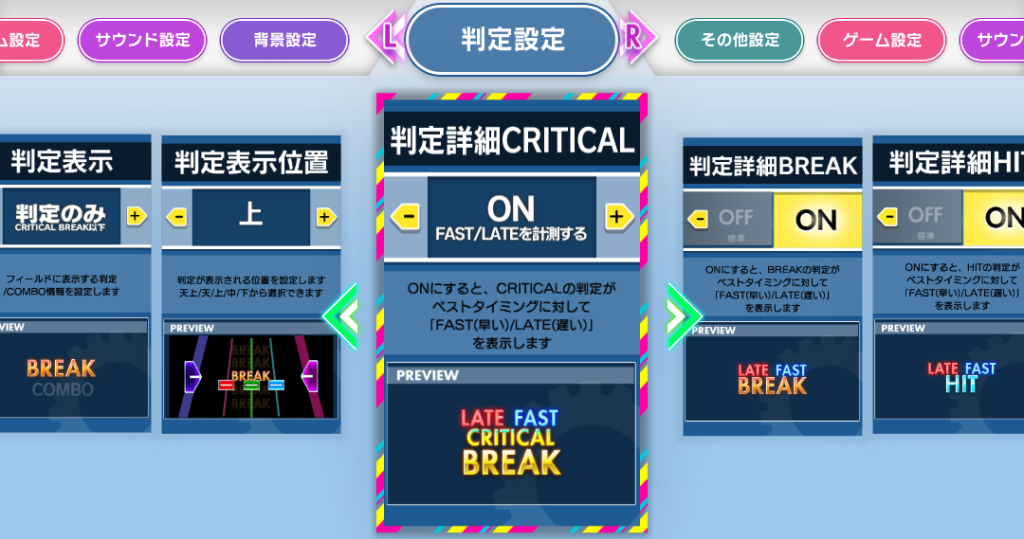
| Judgment Detail Display: CRITICAL OFF/Do not measure FAST/LATE (Default) | |
| Judgment Detail Display: CRITICAL ON/Measure FAST/LATE | |
| Judgment Detail Display: CRITICAL ON/Do not measure FAST/LATE | |
| Judgment Detail Display: CRITICAL OFF/Measure FAST/LATE |
When “Do not measure FAST/LATE” is selected, only FAST/LATE for BREAK and below will be shown on the results screen.
When “Measure FAST/LATE” is selected, FAST/LATE for CRITICAL BREAK and below will be shown on the results screen.
※Please note that when your data is carried over to “ONGEKI Re:Fresh Act.2,” all users’ settings will be reset to “Judgment Detail Display: CRITICAL OFF/Do not measure FAST/LATE.”